Retain CI Artifacts That Explain a Failure on Their Own
A red CI run should name the failing request and the server's reason from its artifacts alone. Upload JUnit XML on every non-cancelled run, a small bundle only on failure, set retention per artifact now that the repository setting also deletes run history, and scan traces for secrets that log masking never sees.
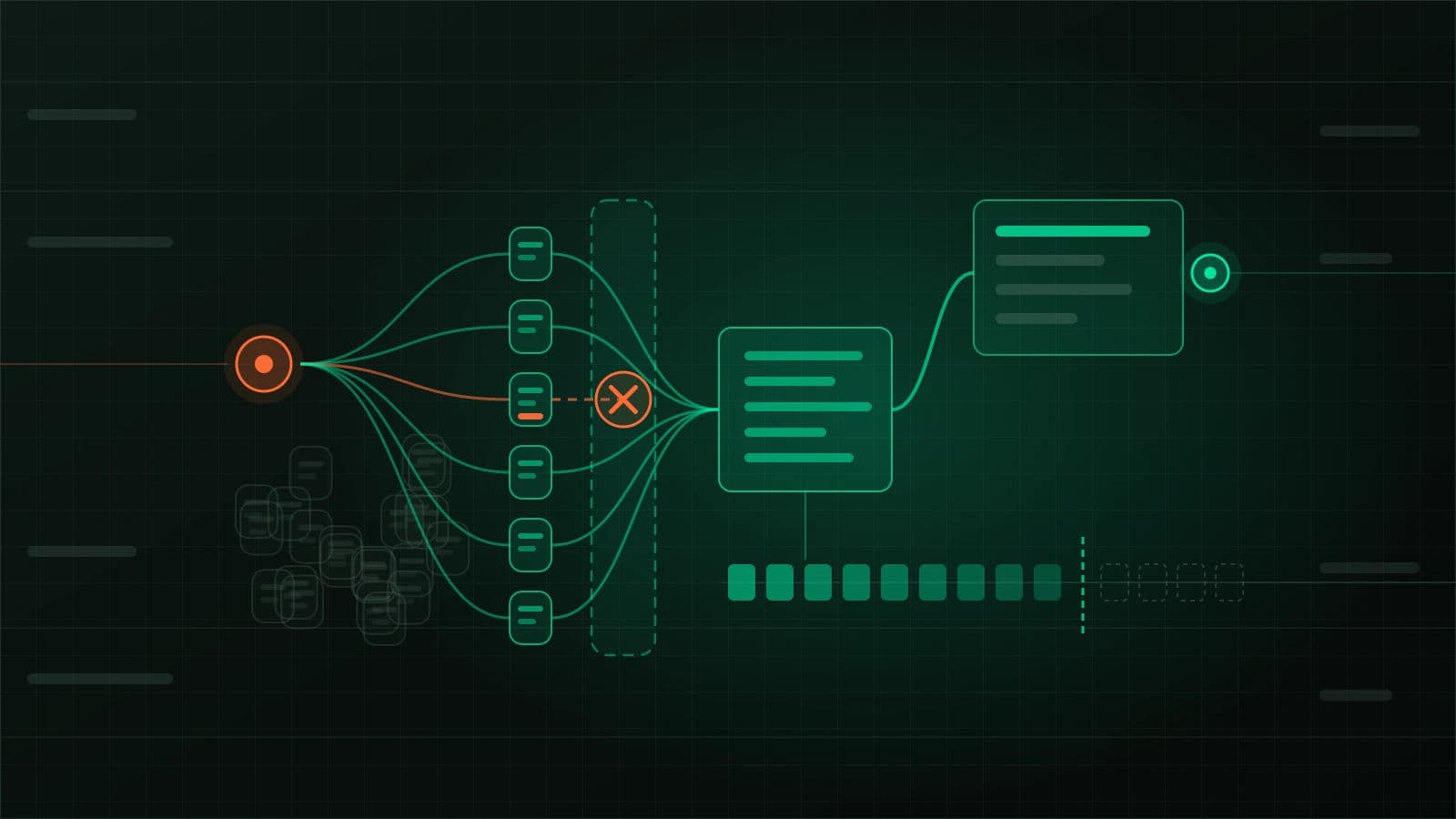
retention-days, fail the upload when it is empty, scan it for live secret values before it leaves the runner (log masking never touches artifact contents), and write a job summary that links to it through the artifact-url output.The checkout suite went red on shard 3 of a pull request. The run page shows a red cross, a 4,000-line log and one artifact called playwright-report. Downloading it gives an HTML report for 600 passing tests and one failing one. The failing test's trace shows the browser received a 500 from POST /api/checkout, and that is where the evidence stops: nobody can tell which server request that was, so the backend log cannot be searched. The same trace also contains the bearer token the suite sends on every request, in plain text, in an artifact any reader of a public repository can download.
Both problems come from uploading whatever the test runner wrote, with the defaults. The fix is a small bundle that answers which request failed and why, and is safe to keep. Every example targets GitHub Actions.
actions/upload-artifact v7.0.2 (released 2026-10-07), which runs on Node 24; since v6 it needs Actions Runner 2.327.1 or later, so update self-hosted runners first, and v4 and later are not supported on GitHub Enterprise Server. Playwright 1.65.0 (released 2026-11-05), which added the onlyFailures reporter option used below. The local lab ran on Node 26.12.1 with Chromium headless shell 158.The default condition uploads nothing when you need it
A step with no if gets an implicit success(), which returns true only when every previous step succeeded. An upload step written without a condition therefore runs on green builds and is skipped on red ones. GitHub's expression reference gives you three alternatives, and they are not interchangeable:
failure()is true when any previous step of the job failed, or any ancestor job in a chain of dependent jobs failed. Use it for the failure bundle.!cancelled()runs whether the job passed or failed, but not when it was cancelled. Use it for JUnit XML, because a history of passes is what lets a later failure be called new or recurring.always()also runs after a cancel, and the docs warn it can leave a workflow hanging until timeout; they recommend!cancelled()instead.
Cancellation deserves a decision rather than an accident. If you set cancel-in-progress on a concurrency group (part 5 of this series, control CI parallelism from dependency capacity), a superseded run is cancelled, both conditions above are false, and it leaves no evidence. That is correct, since nobody will merge that commit.
Timeouts are the other way evidence disappears. Playwright's CI guide deliberately does not set a job-level timeout-minutes and sets globalTimeout in the config instead, with the comment that the run should fail after an hour "so that the reporters still produce a report". Keep the runner's deadline shorter than the job's, so the runner fails first and writes its files.
Six files that reconstruct one failure
A bundle passes when someone who has never seen the code can say which request failed, what the server decided, and on what machine, without re-running anything:
- junit.xml: which tests failed, with the assertion text. It is small enough to keep for every run.
- trace.zip: what the browser did and received, action by action, including network traffic and DOM snapshots.
- test-failed-1.png: the page as the user would have seen it when the assertion gave up.
- environment.json: the runner's fingerprint. Recording and diffing it is the subject of debugging CI-only failures with environment evidence; here it only needs to be in the bundle.
- correlation-ids.txt: the server-assigned request ID for every API call that returned an error during the failing test.
- server-correlated.log: the backend log lines carrying those IDs, and nothing else.
The last two are what usually go missing, and they turn "the API returned 500" into a reason. Capture the ID in an automatic fixture so no test author has to remember it:
// tests/checkout.spec.ts
import { test as base, expect } from '@playwright/test';
import { writeFileSync } from 'node:fs';

const test = base.extend<{ correlation: string[] }>({
  correlation: [async ({ page }, use, testInfo) => {
    const ids: string[] = [];
    page.on('response', (res) => {
      const id = res.headers()['x-request-id'];
      if (id && res.status() >= 400)
        ids.push(`${res.status()} ${res.request().method()} ${new URL(res.url()).pathname} ${id}`);
    });
    await use(ids);
    if (testInfo.status !== testInfo.expectedStatus && ids.length) {
      // Write a real file. A body-only attachment never reaches test-results/.
      const file = testInfo.outputPath('correlation-ids.txt');
      writeFileSync(file, ids.join('\n') + '\n');
      await testInfo.attach('correlation-ids.txt', { path: file, contentType: 'text/plain' });
    }
  }, { auto: true }],
});

test('checkout of two units confirms the order', async ({ page }) => {
  await page.goto('/');
  await page.getByRole('button', { name: 'Pay' }).click();
  await expect(page.locator('#status')).toHaveText('Order confirmed', { timeout: 2000 });
});
That comment comes from the lab. A first version attached the IDs with body instead of path: they showed in the terminal and inside the trace, but no file reached test-results/, so an upload of that directory would have missed them. With path, Playwright 1.65.0 wrote the file and also copied it under the test's attachments/ folder. The lab's JUnit XML then listed it in system-out as an [[ATTACHMENT|...]] line.
The lab app, a Node HTTP server bound to 127.0.0.1 and started by Playwright's webServer, returns HTTP 500 when the quantity is above one and logs the reason under the same request ID. The run, with the working directory trimmed from the paths:
    Error: expect(locator).toHaveText(expected) failed

    Locator:  locator('#status')
    Expected: "Order confirmed"
    Received: "Something went wrong"
    Timeout:  2000ms

    attachment #2: correlation-ids.txt (text/plain) ─────────────────────────
    test-results/checkout-…/attachments/correlation-ids-txt-1a03cd76….txt

$ cat test-results/checkout-…/correlation-ids.txt
500 POST /api/checkout 1427f3fb-8b8b-4eb6-8127-e483cbe9e3bb

$ cat evidence/server-correlated.log
{"ts":"2026-11-09T14:37:54.950Z","requestId":"1427f3fb-8b8b-4eb6-8127-e483cbe9e3bb","level":"error","msg":"reservation rejected","sku":"SKU-42","qty":2,"reason":"stock_hold_conflict"}
In a real system the bundle step queries your log store for those IDs over a narrow time window instead of filtering a local file. The result is a handful of lines, not a log export: one request's log is evidence, a whole environment's log is a privacy liability nobody reads.
Leave out the whole-run HTML report for passing tests, videos of passing tests and the full test-results/ tree from successful jobs. If you do want an HTML report on failures, Playwright 1.65.0's onlyFailures option for the HTML, JSON and JUnit reporters keeps only tests with unexpected outcomes, flaky tests and interrupted tests, and keeps every attempt of each. Use it on the HTML report. Leave it off for JUnit, because that history needs the passes.
Hidden files are already excluded. Since upload-artifact v4.4.0, a file whose name starts with a dot, or that sits inside a folder whose name starts with a dot, is left out unless you set include-hidden-files: true. That is why Playwright's test-results/.last-run.json does not appear in an upload, and it is also what keeps playwright/.auth/, the folder Playwright's authentication guide uses for saved browser state, out of the artifact. That guide warns the state file "may contain sensitive cookies and headers". Turning on hidden files to get one dotfile also uploads that state.
Masking ends where the log ends
GitHub's redaction is documented for workflow logs, and job summaries mask secrets too. HTTP bearer token headers and JWTs are on the list of values it redacts automatically, even when they are not stored as secrets. The documentation also says why you cannot rely on it: redaction "largely relies on finding an exact match", the runner can only redact secrets used in the current job, and redaction "is not guaranteed". None of the artifact documentation describes any scanning of uploaded files. A token masked in the log can be sitting in plain text in the artifact.
The lab sends Authorization: Bearer ${CHECKOUT_TOKEN} through extraHTTPHeaders and records traces with retain-on-failure. Searching the failing test's trace archive:
$ unzip -p test-results/checkout-…/trace.zip 1-trace.network | grep -a -o '.\{40\}lab-token.\{10\}'
{"name":"Authorization","value":"Bearer lab-token-7c1e9a4f"
{"name":"Authorization","value":"Bearer lab-token-7c1e9a4f"
The header is in 1-trace.network, the network log the trace viewer renders. GitHub's downloads page says read access to the repository is all it takes to download an artifact. For a public repository, that means every signed-in GitHub user.
Do not record the network. Playwright's trace option takes an object, and its snapshots.dom setting covers both DOM snapshots and network activity. Rerunning the lab with trace: { mode: 'retain-on-failure', snapshots: false } left 1-trace.network at 0 bytes, the token appeared zero times, and the trace shrank from 19,943 to 17,120 bytes. The cost is that the trace loses its DOM snapshots and its network tab, which are its two most useful features. Pay it on public repositories and in jobs holding production-like credentials.
Make the credential worthless and check before upload. Use a test-scoped token that expires within hours, and refuse to publish any bundle that still contains a live value. The script below scans every file and every entry inside every zip for the values of named environment variables. It exits non-zero on a match, so the upload step's condition can depend on it.
// scripts/bundle-evidence.mjs <results-dir> <server-log> <out-dir>
// (excerpt: step 3 of 4, after copying non-hidden files and correlated log lines)
import { readFileSync } from 'node:fs';
import { relative } from 'node:path';
import { execFileSync } from 'node:child_process';

const secrets = (process.env.SECRET_ENV_NAMES ?? '').split(',').filter(Boolean)
  .map((name) => [name, process.env[name]]).filter(([, v]) => v && v.length >= 8);
const findings = [];
for (const f of walk(outDir)) {
  const entries = f.endsWith('.zip')
    ? execFileSync('unzip', ['-Z1', f], { encoding: 'utf8' }).trim().split('\n')
        .map((name) => [`${relative(outDir, f)}!${name}`, execFileSync('unzip', ['-p', f, name])])
    : [[relative(outDir, f), readFileSync(f)]];
  for (const [where, bytes] of entries)
    for (const [name, value] of secrets)
      if (bytes.includes(value)) findings.push(`${name} found in ${where}`);
}
The script reads raw entries because a zip stores most entries deflated, so a plain grep of the archive misses them. Against the default trace:
### Failure evidence
| failed API call | server log |
| --- | --- |
| `1427f3fb-8b8b-4eb6-8127-e483cbe9e3bb` | stock_hold_conflict |

Bundle: 7 files, 33.6 KiB
**Upload blocked:** 1 secret match(es)
::error::CHECKOUT_TOKEN found in checkout-…/trace.zip!1-trace.network
Against the trace recorded without snapshots, the same script printed Secret scan: clean and exited 0. It only knows the values you name, so it is a backstop for the credentials you hand the suite, not a general secret detector. Redacting payload fields by key before they are written is a separate job, covered in making JUnit failure reports useful in CI. Redaction there does not reach headers the browser sends by itself.
Set retention on the artifact, not the repository
Artifacts and logs are kept for 90 days by default. The repository setting, now labelled "Check, workflow run, status, artifact and log retention", can be set from 1 to 90 days on public repositories and from 1 to 400 days on private ones. GitHub's changelog of 17 July 2026 announced that from October it also governs checks, workflow runs and commit statuses, previously kept for 400 days or more, including those written by third-party integrations. If you cut the repository setting to 14 days to save artifact storage, your run history and check results now disappear after 14 days as well. Changes apply only to new objects.
The per-artifact input is the right tool. retention-days on upload-artifact takes a value from 1 day up to the repository's limit, and 0 means "use the repository default". Choose it by how long after a failure someone realistically opens the bundle. Fourteen days covers a pull request's review cycle and a sprint's flake triage. JUnit XML is tiny and feeds trend analysis, so it can keep the full default.
Storage is billed hourly, in GB-hours. Deleting an artifact stops future charges but does not remove charges already accrued in the billing cycle, so a cleanup job after the fact recovers less than a correct retention-days at upload. The included artifact storage is 500 MB on GitHub Free and 2 GB on Team, shared with GitHub Packages; usage is recalculated every 6 to 12 hours. Forty failing jobs a day at 20 MB each is about 11 GB held at 14 days, and about 70 GB at the 90-day default. At 200 KB per bundle, both numbers are small enough to ignore.
Put the answer on the run page
A job summary is Markdown appended to $GITHUB_STEP_SUMMARY, a file unique to each step. The summaries from all steps are joined into one job summary on the run page. The limits are specific: each step's summary may be at most 1 MiB, a step that exceeds it fails its summary upload with an error annotation but does not fail the step, and at most 20 step summaries are shown per job. Summaries mask secrets, and GitHub's billing page uses a long job summary as an example of output that does not count towards artifact storage.
In v7.0.2 the upload step outputs artifact-id, artifact-url and artifact-digest (SHA-256). The URL works only for signed-in users and lasts as long as the artifact. Write it into the summary after the upload succeeds:
jobs:
  e2e:
    runs-on: ubuntu-latest
    strategy:
      fail-fast: false
      matrix:
        shard: [1, 2, 3, 4]
    steps:
      - uses: actions/checkout@v7
      - uses: actions/setup-node@v7
        with: { node-version: 24 }
      - run: npm ci && npx playwright install --with-deps chromium
      - name: Run tests
        run: npx playwright test --shard=${{ matrix.shard }}/4
        env:
          CHECKOUT_TOKEN: ${{ secrets.CHECKOUT_TOKEN }}

      - name: Upload JUnit (every non-cancelled run)
        if: ${{ !cancelled() }}
        uses: actions/upload-artifact@v7
        with:
          name: junit-shard-${{ matrix.shard }}-attempt-${{ github.run_attempt }}
          path: test-results/junit.xml
          if-no-files-found: error

      - name: Build failure bundle
        id: bundle
        if: failure()
        run: node scripts/bundle-evidence.mjs test-results logs/server.log evidence
        env:
          CHECKOUT_TOKEN: ${{ secrets.CHECKOUT_TOKEN }}
          SECRET_ENV_NAMES: CHECKOUT_TOKEN

      - name: Upload failure bundle
        id: upload
        if: failure() && steps.bundle.outcome == 'success'
        uses: actions/upload-artifact@v7
        with:
          name: evidence-shard-${{ matrix.shard }}-attempt-${{ github.run_attempt }}
          path: evidence/
          retention-days: 14
          if-no-files-found: error

      - name: Link the bundle from the summary
        if: failure() && steps.upload.outputs.artifact-url != ''
        run: |
          echo "[Evidence for shard ${{ matrix.shard }}](${{ steps.upload.outputs.artifact-url }}), kept 14 days" >> "$GITHUB_STEP_SUMMARY"
steps.bundle.outcome is the step's result before continue-on-error is applied, so a blocked scan stops the upload while the summary table the script already wrote still explains why. Artifacts from v4 onwards are immutable and names must be unique within a run, so the shard number goes in the name. github.run_attempt starts at 1 and increments with each re-run, so a failed attempt's bundle stays distinct from its re-run's. Avoid overwrite: true on evidence: the replacement gets a new ID, and any link already posted in a pull request comment stops working.
When the bundle still explains nothing
The artifact is missing entirely. The default for if-no-files-found is warn, so an upload whose path matched nothing succeeds with a warning nobody reads. That happens when the runner crashed before writing files, or when outputDir moved. Set it to error on evidence uploads, so a run that should have produced evidence and did not is visible.
There is a trace, but of the wrong attempt, or no trace at all. 'on-first-retry' records only the first retry, so with retries: 0 it records nothing, and when the retry passes you keep a trace of a successful run. The mode that keeps the failing attempt is covered in failing CI on flaky Playwright tests. For this check, open the archive and confirm that the attempt it shows actually failed.
The correlation file has IDs but the server log has no lines. The cause is in the backend: the service logs at a sampled rate, writes the ID under a different field name, or the log store's retention is shorter than the artifact's. The summary table above prints no matching line for this case, which tells you to fix the logging rather than the test.
The bundle expired before anyone looked. Either retain main-branch bundles longer than pull request ones by computing retention-days from github.ref, or check the expires_at value the artifacts REST API returns before promising anyone a link.
Audit your last red run today
Open the most recent red run in your busiest workflow and try to name the failing request and its server-side reason from the run page and artifacts alone. If you cannot, the gap is your first change. Then download one failure artifact and search every zip entry for the value of each secret the job receives. Record three numbers before and after the change: the bundle size, its retention-days, and whether the scan finds anything. The target is a run that explains itself in under a minute, a bundle under a megabyte, and a clean scan.
Frequently asked questions
Can I use the dependency cache instead of artifacts for test output?
No. GitHub's documentation says the two "cannot be used interchangeably": caches are for files reused across runs that a job must be able to regenerate, and artifacts are for files a job produces that someone needs after the run.
A token reached an artifact. Is deleting the artifact enough?
Rotate the credential first; deletion cannot be undone, but it also cannot prove nobody downloaded the file. Deleting a workflow run deletes all of its artifacts, and that is also the documented way to remove a job summary that contains sensitive data.
Why does a script from the artifact lose its executable bit?
Zipped uploads reset modes to 755 for directories and 644 for files. If permissions matter, tar the files and upload the tarball with archive: false, which since v7 uploads a single file unzipped and uses its file name as the artifact name.
Primary references
- upload-artifact v7.0.2 action.yml. Inputs and defaults:
if-no-files-founddefaults to warn,retention-days0 means the repository default,include-hidden-filesdefaults to false,overwrite,archive; outputsartifact-id,artifact-url(signed-in only) andartifact-digest;node24runtime. - The upload-artifact README at v7.0.2. Immutability and unique names from v4, matrix naming, overwrite producing a new ID, the definition of hidden files, the 500-artifacts-per-job limit, storage recalculated every 6 to 12 hours, permission loss and the tar workaround, GHES support.
- upload-artifact releases. v7.0.2 published 2026-10-07; v7.0.0 direct (unzipped) single-file uploads; v6.0.0 Node 24 and minimum runner 2.327.1; v4.4.0 hidden files excluded by default.
- GitHub Actions expressions: status check functions. Implicit
success(), the meaning offailure()across dependent jobs, and the advice to prefer!cancelled()overalways(). - GitHub Actions contexts reference.
steps.<id>.outcomeversusconclusion, andgithub.run_attemptincrementing per re-run. - Workflow commands: adding a job summary. Per-step
GITHUB_STEP_SUMMARY, 1 MiB per step, 20 summaries per job, automatic masking in summaries, and deleting the run as the way to remove one. - GitHub Actions secrets concepts. Automatic redaction of secrets printed to workflow logs, and the statement that redaction is not guaranteed and is limited to the current job.
- Secrets reference: automatically redacted values. HTTP bearer token headers and JWTs among the values redacted from workflow logs.
- Secure use reference for Actions. Redaction relying on exact matches, structured secrets defeating it, and registering derived values with
add-mask. - Repository Actions settings: retention period. The 90-day default, the 1 to 90 and 1 to 400 day ranges, non-retroactive changes, and the widened scope from 1 October 2026.
- GitHub changelog, 17 July 2026: retention covers checks, runs and statuses. Checks, workflow runs and statuses, including those of third-party apps, following the artifact and log retention setting instead of 400+ days.
- Storing and sharing data with workflow artifacts.
retention-dayscannot exceed the repository, organization or enterprise limit. - Downloading workflow artifacts. Read access to the repository is enough to download an artifact.
- Removing workflow artifacts. Deletion is irreversible, the
expires_atfield in the REST API, and run deletion removing all of its artifacts. - Workflow artifacts concepts. Artifacts versus dependency caching, which "cannot be used interchangeably".
- GitHub Actions billing. Hourly GB-hour accrual, deletion not removing accrued charges, artifact storage shared with Packages, and a long job summary not counting towards artifact storage.
- Actions limits. Included artifact storage per plan: 500 MB on Free, 2 GB on Team, 50 GB on Enterprise Cloud.
- Playwright TestOptions: trace and screenshot. Every trace mode, including
on-first-retryandretain-on-failure; the object form whosesnapshots.domcovers DOM snapshots and network activity;screenshot: 'only-on-failure'. - Playwright Trace Viewer guide. A trace as the record of actions, DOM snapshots, console and network for one test, and trace modes for CI.
- Playwright TestInfo.attach.
pathandbodyas mutually exclusive options, and attached files being copied where reporters can reach them. - Playwright reporters. The JUnit reporter's
outputFile, andonlyFailuresfor the HTML, JSON and JUnit reporters. - Playwright v1.65.0 release notes. Released 2026-11-05; introduces
onlyFailuresand thefailuresreporter. - Playwright CI introduction. The GitHub Actions example uploading the report with
!cancelled(), andglobalTimeoutinstead of a job timeout so reporters still produce a report. - Playwright authentication guide. Saved browser state in
playwright/.authand the warning that it may contain sensitive cookies and headers.
CI and Test Infrastructure
CI and Test Infrastructure
Get part 7: Secure CI with OIDC: Exact Trust Conditions and Job-Scoped Tokens
It is live now: read part 7. The form below subscribes you to The Automation Brief, the site newsletter.
No spam, no sending cadence promised. Unsubscribe any time.