Gate an MCP Server and Client on the Official Conformance Suite
The official MCP conformance suite was run at v0.1.16 against a fixture server built on TypeScript SDK 1.32.2: 13 of 30 active scenarios passed on the first run. This guide pins the protocol revision while the current 2026-07-28 spec is still a draft target in the suite, adds owners and review dates to the expected-failures file, and covers the warning that shows a tick in the summary but fails the baseline. It also shows the 0.0.0.0 bind that fails DNS rebinding protection and gives a GitHub Actions job that diffs check-level results.
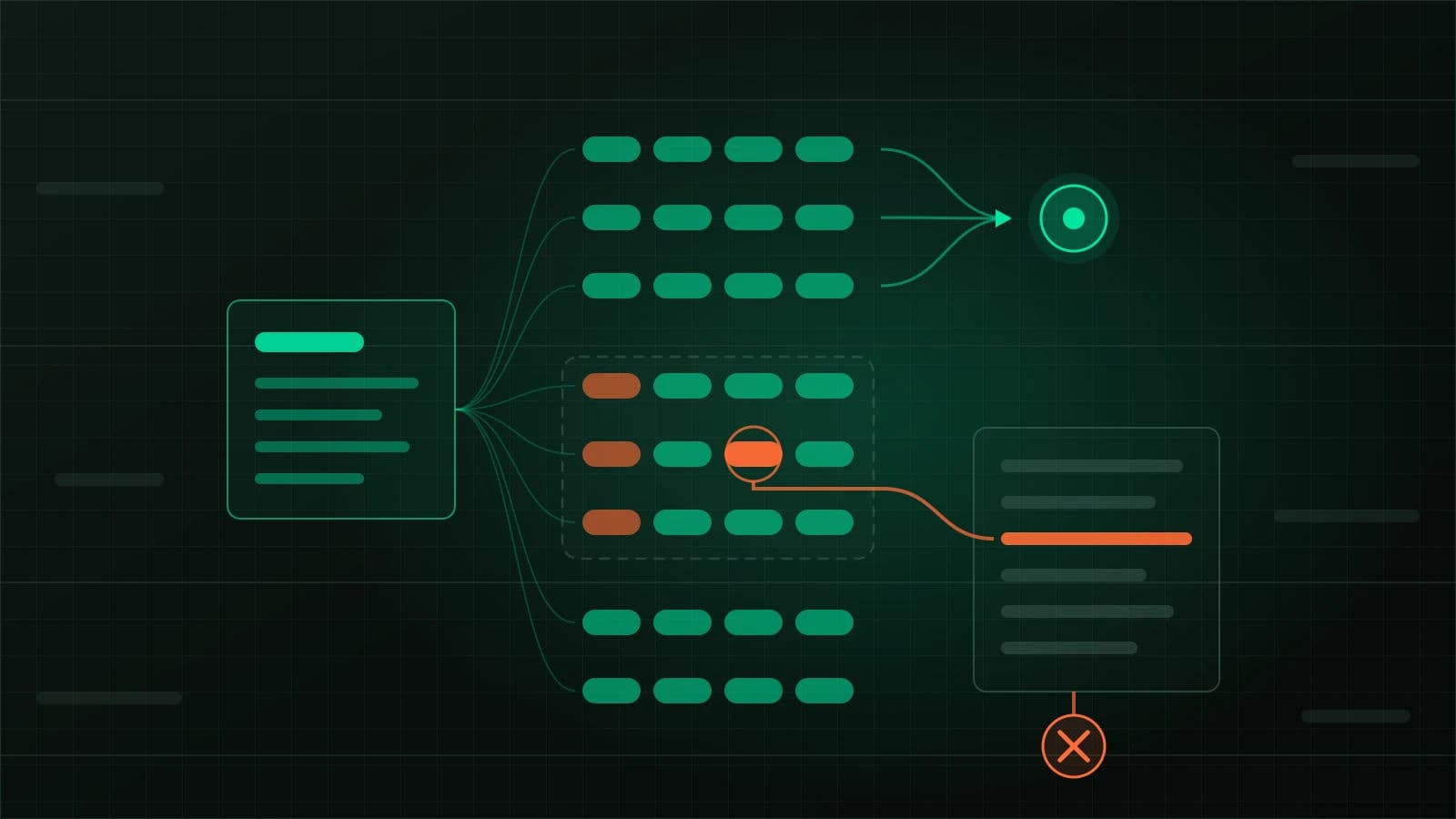
@modelcontextprotocol/conformance as an exact dev dependency, write down which protocol revision you are claiming, and pass it as --spec-version. Build a small fixture server from the same SDK, transport and HTTP middleware as production, because the server scenarios call tools and resources with fixed names. Run it on 127.0.0.1 inside the CI job, gate on --expected-failures, and give every baselined scenario an owner, a reason and a review date in a comment that a script checks. The baseline works per scenario, not per check, so also commit a flattened list of check results and fail the job when it changes.Your team ships an MCP server and the agent that calls it. The integration test connects one to the other, lists tools, calls two of them, and passes on every pull request. Both halves import the same SDK version and the same HTTP wrapper. If that wrapper answers requests from any Host header, or the server quietly drops a capability it still advertises, the integration test still passes. Both sides agree with each other, and neither is checked against the specification. An independent client such as an IDE or a hosted agent is where that shows up.
The official conformance framework is the independent party. In server mode it acts as a reference client against your endpoint; in client mode it starts a scripted server, and for auth scenarios an authorization server as well, then launches your client against them. Part 1 of this series laid out the layers of MCP testing. This part covers the conformance layer only: what the suite runs, how to gate CI on it, and what a pass leaves unchecked.
@modelcontextprotocol/conformance 0.1.16, the newest release on npm's latest tag (published 2026-03-30, git tag v0.1.16), with 0.2.0-alpha.12 on the alpha tag (2026-10-01). TypeScript SDK @modelcontextprotocol/sdk 1.32.2. The current MCP specification revision is 2026-07-28. Every run below was made on Node.js 26.0.0 on macOS arm64, against a fixture server built with SDK 1.32.2. The GitHub Actions workflow near the end was not run, because no CI runner was used.Pin the revision before you read a single result
"Conformant" means nothing until you say which revision. As of today that choice is awkward. The specification's versioning page names 2026-07-28 as the current revision. Its changelog removes the initialize handshake, ping and logging/setLevel, replaces resources/subscribe with subscriptions/listen, and adds a mandatory server/discover. The stable conformance release, 0.1.16, was tagged in March and has no 2026-07-28 scenarios. On the alpha line, the newest build still sets DRAFT_PROTOCOL_VERSION = '2026-07-28' in its source, so even there the current revision is handled as a draft.
The list command shows how much the target changes the suite:
npx conformance list --server --spec-version 2025-06-18   # 0.1.16: 26 server scenarios
npx conformance list --server --spec-version 2025-11-25   # 0.1.16: 32 server scenarios
# 0.2.0-alpha.12 with --spec-version 2026-07-28: 40 scenarios.
# server-initialize, ping, logging-set-level and resources-subscribe are gone;
# server-stateless, caching, http-header-validation and 14 input-required-result-* arrive.
Running the alpha's server-stateless scenario against a server built on SDK 1.32.2 gives Passed: 5/31, 26 failed, 1 warnings. Among the failed checks is Servers MUST implement server/discover. That result is correct, since the server was never built for that revision. It is also why the target has to be written down. A job that runs "whatever the suite does by default" changes meaning the day someone bumps the tool.
The negotiated version is decided by code you may not have pinned. The server scenarios connect with the SDK's own Client, and the 1.32.2 SDK sets LATEST_PROTOCOL_VERSION = '2025-11-25'. Ask the fixture for the current revision directly and it falls back, as the 2025-11-25 lifecycle rules require:
curl -s http://127.0.0.1:3001/mcp -H 'content-type: application/json' \
  -H 'accept: application/json, text/event-stream' \
  -d '{"jsonrpc":"2.0","id":1,"method":"initialize","params":{"protocolVersion":"2026-07-28","capabilities":{},"clientInfo":{"name":"probe","version":"0"}}}'

data: {"result":{"protocolVersion":"2025-11-25","capabilities":{"logging":{},"tools":{"listChanged":true}, ...
One detail matters for pinning. Version 0.1.16 declares "@modelcontextprotocol/sdk": "^1.27.1" and imports it at runtime rather than bundling it. A fresh npx @modelcontextprotocol/[email protected] today resolves SDK 1.32.2. The repository's GitHub Action runs npm ci against the conformance repo's own lockfile, which holds 1.27.1. Both send 2025-11-25 on the wire today, but they are different reference clients carrying the same version label. Install the suite as an exact dev dependency in your own lockfile, so the reference client changes only when you change it.
The server suite tests a fixture, not your product tools
Read the scenario source before you point the suite at anything. tools-call-simple-text calls a tool named test_simple_text. resources-templates-read reads test://template/123/data and checks that 123 appears in the content. tools-call-error calls test_error_handling and expects isError: true with text. Your production server has none of these names, so pointing the suite at it produces a page of failures that say nothing about your code.
What you can test is your stack: the SDK version, the transport configuration, session handling, the Express or framework middleware, and any proxy in front. Build a fixture from those same parts and register the fixture surface on it. The reference implementation is examples/servers/typescript/everything-server.ts in the conformance repo, about 1,200 lines. A useful first fixture is much smaller:
import { McpServer, ResourceTemplate } from '@modelcontextprotocol/sdk/server/mcp.js';
import { StreamableHTTPServerTransport } from '@modelcontextprotocol/sdk/server/streamableHttp.js';
import { createMcpExpressApp } from '@modelcontextprotocol/sdk/server/express.js';

function buildServer() {
  const server = new McpServer(
    { name: 'orders-mcp-conformance-fixture', version: '0.4.0' },
    { capabilities: { logging: {} } }
  );
  server.registerTool('test_simple_text', { description: 'Tests simple text content response' },
    async () => ({ content: [{ type: 'text', text: 'This is a simple text response for testing.' }] }));
  server.registerTool('test_error_handling', { description: 'Always fails, as a tool-level error' },
    async () => ({ isError: true, content: [{ type: 'text', text: 'This tool intentionally returns an error for testing' }] }));
  server.registerResource('template', new ResourceTemplate('test://template/{id}/data', { list: undefined }),
    { description: 'Parameterised resource', mimeType: 'application/json' },
    async (uri, { id }) => ({ contents: [{ uri: uri.href, mimeType: 'application/json',
      text: JSON.stringify({ id, templateTest: true, data: `Data for ID: ${id}` }) }] }));
  // plus test://static-text and a no-argument prompt named test_simple_prompt
  return server;
}

const host = process.env.BIND_HOST ?? '127.0.0.1';
const app = createMcpExpressApp({ host });   // the same factory production uses

app.post('/mcp', async (req, res) => {
  const server = buildServer();
  const transport = new StreamableHTTPServerTransport({ sessionIdGenerator: undefined });
  res.on('close', () => { transport.close(); server.close(); });
  await server.connect(transport);
  await transport.handleRequest(req, res, req.body);
});

app.listen(Number(process.env.PORT ?? 3001), host);
The fixture shares production's buildServer wiring and app factory and swaps only the registrations. If the two drift apart, the suite is testing a server you do not run.
Reading the first run
With the fixture up, run the active suite for the revision you chose and keep the per-scenario results:
npx conformance server --url http://127.0.0.1:3001/mcp --spec-version 2025-11-25 -o results/run1Running active suite (30 scenarios) against http://127.0.0.1:3001/mcp
...
=== SUMMARY === (11 of 30 lines shown)
✓ server-initialize: 1 passed, 0 failed
✓ logging-set-level: 1 passed, 0 failed
✓ ping: 1 passed, 0 failed
✗ completion-complete: 0 passed, 1 failed
✓ tools-list: 1 passed, 0 failed
✓ tools-call-simple-text: 1 passed, 0 failed
✗ tools-call-image: 0 passed, 1 failed
✗ tools-call-with-progress: 0 passed, 1 failed
✓ server-sse-multiple-streams: 0 passed, 0 failed
✗ resources-subscribe: 0 passed, 1 failed
✓ dns-rebinding-protection: 2 passed, 0 failed
...
Total: 13 passed, 17 failed"Active" is 30 of the 32 server scenarios for 2025-11-25. The other two, json-schema-2020-12 and server-sse-polling, sit in a pending list in the suite's source and run only with --suite pending or all.
The 17 failures fall into groups that need different decisions. resources-subscribe fails with MCP error -32601: Method not found. The 2025-11-25 resources page makes subscribe optional, and a server that does not declare it is conformant. A missing optional feature belongs in the baseline, with that reason written next to it. tools-call-with-progress fails with No progress notifications received. If your real tools run for minutes, that is a gap to fix, not to baseline.
One line looks like a pass and is not. server-sse-multiple-streams prints a tick with zero checks passed and zero failed. Its checks.json holds a single WARNING: Server did not provide session ID - multiple streams test may not work correctly. The fixture is stateless, and under 2025-11-25 a server MAY assign a session ID, so the warning describes a design choice. In server mode without a baseline, the exit code counts only failures and the warning goes unnoticed. Add --expected-failures and the same scenario becomes an unexpected failure, because the baseline evaluator counts any WARNING as failed. The first baseline run reported exactly that:
Unexpected failures (not in baseline):
  ✗ server-sse-multiple-streams

Unexpected failures detected: these scenarios are not in your expected-failures baseline.
Client mode is stricter. Without a baseline, the client command exits 1 when any check is a failure or a warning, and also when your client exits non-zero or times out. The two modes disagree on warnings, so check which one a given job runs before you trust its exit code.
A baseline that cannot rot quietly
The expected-failures file is YAML with two keys, server and client, each a list of scenario names. The exit rules are strict in the right direction. A baselined scenario that fails exits 0. An unlisted failure exits 1. A baselined scenario that now passes also exits 1, so the file cannot keep entries for bugs that are already fixed. After adding the missing image tool to the fixture, the same baseline produced:
Stale baseline entries (now passing - remove from baseline):
  ✓ tools-call-image

Baseline is stale: update your expected-failures file to remove passing scenarios.
The file has no room for an owner, a reason or an expiry. The loader maps each list item through String(), so a structured entry becomes the text [object Object] and matches nothing:
# Wrong: looks reviewable, never matches a scenario
server:
  - scenario: completion-complete
    owner: "@orders-platform"
    expires: 2027-01-31
Run against that file, completion-complete is reported under Unexpected failures (not in baseline). The mistake fails loudly, which is the better way round, but the metadata still has nowhere to live. Put it in comments that a script enforces:
# Target: MCP 2025-11-25, @modelcontextprotocol/conformance 0.1.16
server:
  # owner: @orders-platform  reason: subscribe capability not declared (optional)  review-by: 2027-01-31
  - resources-subscribe
  - resources-unsubscribe
  # owner: @orders-platform  reason: logging/progress notifications not yet emitted  review-by: 2026-12-15
  - tools-call-with-logging
  - tools-call-with-progress
  # owner: @orders-platform  reason: stateless by design, no Mcp-Session-Id (WARNING)  review-by: 2027-01-31
  - server-sse-multiple-streams
// check-baseline.mjs: every entry inherits the nearest comment above it
import { readFileSync } from 'node:fs';
const file = process.argv[2] ?? 'conformance-baseline.yml';
const today = new Date().toISOString().slice(0, 10);
let note = null;
const problems = [];
for (const line of readFileSync(file, 'utf8').split('\n')) {
const comment = line.match(/^\s+#\s*(.*)$/);
if (comment) { note = comment[1]; continue; }
const entry = line.match(/^\s+-\s+(\S+)\s*$/);
if (!entry) { if (/^\S/.test(line)) note = null; continue; }
const owner = note?.match(/owner:\s*(\S+)/)?.[1];
const reason = note?.match(/reason:\s*(.+?)\s+review-by:/)?.[1];
const due = note?.match(/review-by:\s*(\d{4}-\d{2}-\d{2})/)?.[1];
if (!owner || !reason || !due) problems.push(`${entry[1]}: missing owner, reason or review-by`);
else if (due < today) problems.push(`${entry[1]}: review-by ${due} has passed (owner ${owner})`);
}
if (problems.length) { console.error(problems.join('\n')); process.exit(1); }
console.log(`baseline metadata ok (${file})`);On a file with one bare entry and one lapsed date, it prints completion-complete: missing owner, reason or review-by and tools-call-with-logging: review-by 2026-09-30 has passed (owner @orders-platform), then exits 1. A review date gives the entry a point where someone must look at it again. It does not delete the entry.
The gap inside a baselined scenario
The evaluator decides per scenario: any failed or warning check marks the whole scenario as failed, and that is compared with the list. Once tools-call-with-progress is baselined for "no progress notifications", the job stays green if the tool later starts throwing, timing out or returning the wrong content. The scenario still fails, and it is still listed. Each result directory holds a checks.json with check ids, statuses and error messages, so flatten those and commit the output:
// summarize-results.mjs: one sorted line per check
import { readdirSync, readFileSync, statSync } from 'node:fs';
import { join } from 'node:path';

const dir = process.argv[2] ?? 'results';
const rows = [];
for (const name of readdirSync(dir)) {
  if (!statSync(join(dir, name)).isDirectory()) continue;
  const scenario = name.replace(/^server-/, '').replace(/-\d{4}-\d{2}-\d{2}T[\d-]+Z$/, '');
  for (const check of JSON.parse(readFileSync(join(dir, name, 'checks.json'), 'utf8'))) {
    if (check.status === 'INFO') continue;
    rows.push([scenario, check.id, check.status, check.errorMessage ?? ''].join('\t'));
  }
}
console.log(rows.sort().join('\n'));
prompts-get-with-args prompts-get-with-args FAILURE Failed: MCP error -32602: MCP error -32602: Prompt test_prompt_with_arguments not found
resources-subscribe resources-subscribe FAILURE Failed: MCP error -32601: Method not found
server-sse-multiple-streams server-sse-multiple-streams-session WARNING
tools-call-with-progress tools-call-with-progress FAILURE No progress notifications receivedThose lines are an excerpt of the real output, with tabs shown as spaces. A change in any error message now shows up as a diff in the pull request, and the reviewer decides whether the baseline reason still holds.
The scenario that catches a container default
dns-rebinding-protection sends requests with a foreign Host and Origin and expects a 4xx, then sends localhost values and expects them accepted. The 2025-11-25 transport section says servers MUST validate Origin to prevent DNS rebinding and SHOULD bind only to 127.0.0.1 when running locally. In SDK 1.32.2, createMcpExpressApp() enables host validation only when the host is 127.0.0.1, localhost or ::1. Its own documentation shows { host: '0.0.0.0' } turning the protection off, which is the setting a container image often ships with. The same fixture started with BIND_HOST=0.0.0.0:
[localhost-host-rebinding-rejected] FAILURE Server rejects requests with non-localhost Host/Origin headers
[localhost-host-valid-accepted    ] SUCCESS Server accepts requests with valid localhost Host/Origin headers

  - DNSRebindingRejected: Server rejects requests with non-localhost Host/Origin headers
    Error: Expected HTTP 4xx for invalid Host/Origin headers, got 200
If the deployed server has to listen on all interfaces, pass allowedHosts to the factory and run the fixture with the same option, so the scenario tests the configuration you ship. The scenario also refuses any URL that is not localhost, 127.0.0.1 or [::1]. Pointed at a staging hostname, it fails by design. That is one more reason to start the server inside the CI job.
Testing the client side
In client mode the roles swap. The runner starts a scripted server, appends its URL as the last argument to your command, and sets MCP_CONFORMANCE_SCENARIO to the scenario name. Auth scenarios also receive JSON in MCP_CONFORMANCE_CONTEXT. A minimal client for the basic scenarios:
// conformance-client.mts: .mts, because tsx compiles a .ts file without "type": "module" as CommonJS
import { Client } from '@modelcontextprotocol/sdk/client/index.js';
import { StreamableHTTPClientTransport } from '@modelcontextprotocol/sdk/client/streamableHttp.js';

const serverUrl = process.argv.at(-1)!;
const scenario = process.env.MCP_CONFORMANCE_SCENARIO ?? '';

const client = new Client({ name: 'orders-agent', version: '0.4.0' }, { capabilities: {} });
const transport = new StreamableHTTPClientTransport(new URL(serverUrl));
await client.connect(transport);

const { tools } = await client.listTools();
if (scenario === 'tools_call' && tools.some((t) => t.name === 'add_numbers')) {
  await client.callTool({ name: 'add_numbers', arguments: { a: 2, b: 3 } });
}
await transport.close();
The first version of this file was a .ts file. Top-level await failed to compile, and the run reported CLIENT EXITED WITH ERROR (code 1) next to a failed tool-add-numbers check. That is a harness bug that looks like a protocol failure, so read the client's stderr in the result directory before you file anything. Renamed to .mts, initialize and tools_call both passed.
The same client against --suite auth shows how much of client conformance is about authorization:
Running auth suite (14 scenarios) in parallel...
✗ auth/metadata-default: 0 passed, 5 failed
✗ auth/scope-step-up: 0 passed, 2 failed
✗ auth/token-endpoint-auth-basic: 0 passed, 3 failed
...
Total: 0 passed, 35 failed, 0 warnings
The client gave up on its first 401, so every expected step showed up as Expected Check Missing: prm-pathbased-requested, authorization-server-metadata, client-registration and so on. These 14 scenarios test the client's OAuth behaviour: discovering protected resource metadata, choosing scopes, stepping up, and token endpoint authentication. In 0.1.16, no server-mode scenario sends an Authorization header. Whether your server rejects a token issued for a different audience is outside this suite. The MCP security best practices say servers MUST NOT accept such tokens. Part 3 of this series tests that directly.
The CI job
The repository publishes a composite GitHub Action, and you can pin it with uses: modelcontextprotocol/[email protected]. At that tag the action has no spec-version input, builds the suite from the action's own lockfile, and defaults to Node 22, while the README's inputs table says 20. Calling the CLI from your own lockfile keeps the reference client, the version filter and the results directory under your control:
# package.json devDependencies: "@modelcontextprotocol/conformance": "0.1.16" (exact, no caret)
name: mcp-conformance
on: [pull_request]

jobs:
  server:
    runs-on: ubuntu-latest
    steps:
      - uses: actions/checkout@v4
      - uses: actions/setup-node@v4
        with: { node-version: 22 }
      - run: npm ci
      - run: node conformance/check-baseline.mjs conformance/baseline.yml
      - name: Start the fixture on loopback
        run: |
          npx tsx conformance/fixture-server.ts &
          timeout 15 bash -c 'until curl -s -o /dev/null http://127.0.0.1:3001/mcp; do sleep 0.5; done'
      - name: Active suite, MCP 2025-11-25
        run: >
          npx conformance server --url http://127.0.0.1:3001/mcp
          --spec-version 2025-11-25
          --expected-failures conformance/baseline.yml
          -o conformance-results
      - name: Check-level drift
        if: always()
        run: |
          node conformance/summarize-results.mjs conformance-results > conformance/server-checks.tsv
          git diff --exit-code conformance/server-checks.tsv
      - uses: actions/upload-artifact@v4
        if: always()
        with: { name: conformance-server-results, path: conformance-results }

  client:
    runs-on: ubuntu-latest
    steps:
      - uses: actions/checkout@v4
      - uses: actions/setup-node@v4
        with: { node-version: 22 }
      - run: npm ci
      - run: >
          npx conformance client --command "npx tsx conformance/conformance-client.mts"
          --suite core --spec-version 2025-11-25
          --expected-failures conformance/baseline.yml
Two choices in that file are deliberate. The drift step runs if: always(), so a failed gate still leaves a diff to read. The alpha suite and its 2026-07-28 scenarios are not in the job. Run them in a separate, non-blocking workflow against a branch that implements the new revision, and promote that job to required when you switch your declared target. Merging a draft-target change into a blocking gate turns every upstream scenario edit into a red build nobody can act on.
The client job reuses the same baseline file, under its client: key. The job runs --suite core only, so the auth scenarios never reach that list. When your client implements OAuth, add a second client job with --suite auth, and baseline the auth scenarios it does not yet pass there, with a comment saying whether your deployment needs each one.
What a green conformance job does not tell you
Most server checks test the shape of a response. tools-list checks that every tool has a name, a description and an inputSchema. resources-list walks the array it receives, so an empty list passes. The checks do not ask whether your product's tools validate input, whether a destructive tool needs confirmation, or whether their schemas mislead a model. Those questions belong to the schema checks before an agent calls a tool and to the behavioural layers in Part 1.
A pass covers one revision, one SDK version in the reference client, and the fixture you wrote. It says nothing about stdio if you tested HTTP, nothing about a proxy you left out of the job, and nothing about 2026-07-28 behaviour if you filtered to 2025-11-25. Each failing check carries specReferences URLs, and an assistant can read those beside the error and explain a failure quickly. The status in checks.json and the revision you declared decide conformance. Do not accept an assistant's explanation of why a failure "is fine" until someone has read the spec section it cites.
Run the suite against your stack today
- Write the target revision and the exact conformance version at the top of a new
conformance/baseline.yml. Add the package as an exact dev dependency. - Build the fixture from your production app factory and transport settings. Start with
test_simple_text,test_error_handling, the twotest://resources and one prompt, then add fixtures for the features your product claims. - Run
npx conformance server --url http://127.0.0.1:3001/mcp --spec-version 2025-11-25 -o results/first. Sort each failure into "optional and not offered", "not built yet" or "bug". Only the first two go in the baseline, each with an owner, a reason and a review date. - Restart the fixture bound to the host your container uses and rerun
dns-rebinding-protectionon its own. - Commit the baseline, the flattened check list and the workflow in one pull request. The evidence to keep is that check list, versioned next to the code, plus the baseline diff each time someone changes it.
Questions about MCP conformance in CI
Can the server suite run against a deployed staging server?
Partly. Most scenarios accept any URL, but they need the fixture tools, which a staging server should not expose, and dns-rebinding-protection fails on any non-localhost URL by design. Run the suite against a loopback fixture in CI. Test the deployed server with your own smoke checks.
Should the pending scenarios be part of the gate?
No. In 0.1.16 the source marks json-schema-2020-12 as pending until an SDK change lands, and server-sse-polling as on hold for server-side SSE work. Run --suite pending in a reporting job if you want early warning, and keep it out of the required checks.
When should the gate move to the 2026-07-28 revision?
When your SDK and server implement it and a conformance release on npm's latest tag covers it as a dated revision rather than as the draft. Until then, the non-blocking alpha job tells you how far away you are. The server-stateless result above shows how much of the wire protocol changes.
Primary references
- modelcontextprotocol/conformance at tag v0.1.16. CLI options, suites, the expected-failures exit table, client-mode environment variables, and the composite action's inputs.
- Baseline evaluator source, v0.1.16. List items mapped through
String(), warnings counted as failures, decisions per scenario. - Conformance CLI entry point, v0.1.16. Server mode exiting on failures only, client suites exiting on failures or warnings, and the
--spec-versionfilter. - Scenario registry, v0.1.16. The active and pending server lists, client suites, and the spec versions the release knows.
- DNS rebinding scenario, v0.1.16. The Host and Origin checks, the 4xx expectation, and the localhost-only URL rule.
- action.yml at v0.1.16. The action's inputs, its
npm cibuild from the repo lockfile, and the Node 22 default. - Conformance types on main (0.2.0-alpha.12).
DRAFT_PROTOCOL_VERSIONset to 2026-07-28 and 2025-11-25 as the latest dated revision. - npm registry record for @modelcontextprotocol/conformance. 0.1.16 on the latest tag (published 2026-03-30) and 0.2.0-alpha.12 on the alpha tag (2026-10-01).
- MCP specification versioning. 2026-07-28 as the current revision, and date-based version identifiers.
- Changelog for the 2026-07-28 revision. Removal of initialize, ping and logging/setLevel, subscriptions/listen in place of resources/subscribe, and the mandatory server/discover.
- MCP 2025-11-25 lifecycle. How the server answers a protocol version it does not support.
- MCP 2025-11-25 transports. The MUST to validate Origin, the SHOULD to bind to localhost, and optional session IDs.
- MCP 2025-11-25 resources.
subscribeandlistChangedas optional capabilities. - MCP security best practices. Servers MUST NOT accept tokens that were not issued for them.
- createMcpExpressApp in TypeScript SDK 1.32.2. Host validation applied only for loopback hosts, and the documented
0.0.0.0case without it. - TypeScript SDK 1.32.2 protocol types.
LATEST_PROTOCOL_VERSIONset to 2025-11-25.