Test Mobile Deep Links and Universal Links End to End
A deep link test that names the target app never exercises the operating system's handoff, so a broken assetlinks.json or apple-app-site-association file passes. This guide checks both association files with a script that refuses redirects, routes links through the OS with adb, Appium and XCUISystem.open, runs every case cold and warm because Android's onNewIntent and iOS's scene(_:continue:) are separate paths, and tests a Swift parser against lookalike hosts, encoded slashes and duplicate query values. It ends with an order link checked signed out, in the wrong workspace, for a missing order and after an upgrade.
assetlinks.json, apple-app-site-association) with a script on every deploy. Run the parser and the routing decision as plain unit tests, including hostile URLs. Then on a device, let the operating system choose the app: no package name on adb shell am start, no bundle id on Appium's mobile: deepLink, and XCUIDevice.shared.system.open(_:) rather than app.open(_:). Run every device case twice, once with the app terminated and once with it backgrounded, because cold and warm launches reach your code through different callbacks. Finish on the screen, the active account and what was not shown.An order confirmation email carries a link to order 4411. A customer taps it on a phone where they are signed out. The app opens, shows the sign-in screen, and after sign-in lands on the home tab; the order is gone. A second customer, signed in to a different company's workspace, taps a colleague's forwarded link and sees a blank order screen with a spinner that never stops, because the request returned 403 and nothing handled it. The suite was green throughout. Its deep link test called the router with the string orders/4411 on a running, signed-in app.
That test checked the parser and skipped the operating system's handoff, the launch path and the account the user is actually in. This part of the series covers all four, with the order link as the running example.
mobile: deepLink needs Xcode 14.3+ and iOS 16.4+, and XCUIApplication.open(_:) is iOS 16.4+. am start --debug-link needs Android 17. Dynamic App Links need Android 15 on a device with Google services. The Swift parser and routing tests below were run with Swift 6.4 and Swift Testing on macOS; the adb, Appium and XCUITest snippets follow the documented commands and arguments.What a link crosses before a screen renders
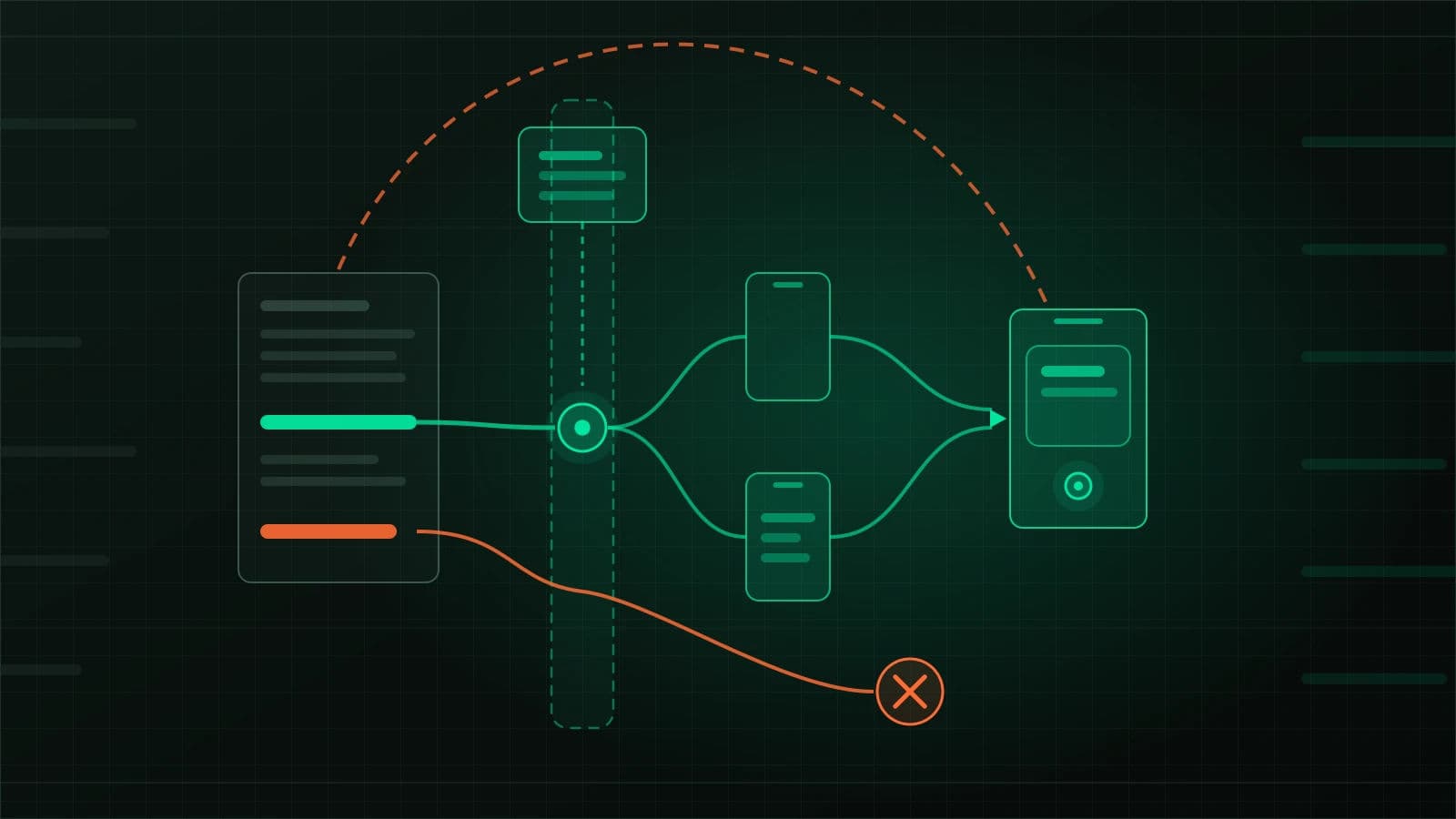
Each checkpoint fails for its own reason and needs its own kind of test. Most of them never need a device.
| Checkpoint | What goes wrong | Cheapest test that can catch it |
|---|---|---|
| Association | The OS will not hand the link to your app: a redirect, a wrong content type, a stale certificate fingerprint | Script against the live files on every web deploy |
| Delivery | The link arrives through a callback your code does not handle, usually on a warm start | Device or emulator, once cold and once warm |
| Parsing | A lookalike host, an encoded slash or a second query value gets through | Unit tests with hostile inputs |
| Destination | Wrong account, lost link after sign-in, no handling for not found or forbidden | Unit tests for the decision, one device run per account state |
Prove the association files before any device runs
Both platforms decide whether your app may open a web link by fetching a file from your domain. Android reads https://host/.well-known/assetlinks.json for each host in an intent filter marked android:autoVerify="true". Apple reads https://host/.well-known/apple-app-site-association, a file with no extension, for each applinks: entry in the associated-domains entitlement. Both files usually live outside the app's repository, so a CDN rule or a hosting migration can break links with no app change.
What each platform refuses
Android requires the file to be served as application/json, over HTTPS even when the intent filter also declares http, and with no 301 or 302. Its troubleshooting page names two redirects that break verification, http to https and the bare domain to www, and two quieter traps: fingerprints must be upper case, and with Play App Signing the fingerprint from your local keystore "will usually not match" the one on users' devices. The right value is on the App signing page in Play Console. Apple requires HTTPS with a valid certificate and no redirects, and each subdomain needs its own entitlement entry and its own file.
A short script turns those rules into a check you can run after every web deploy. It deliberately does not follow redirects:
#!/usr/bin/env bash
# check-link-files.sh <host>: fail if either association file would not verify.
# BASE overrides the origin, for pointing it at a local fixture.
set -uo pipefail
host="$1"
base="${BASE:-https://$host}"
body="$(mktemp)"
fail=0

fetch() {  # no -L: a redirect must show up as a failure, not be followed
  read -r code ctype < <(curl -s -o "$body" -w '%{http_code} %{content_type}\n' "$1")
  echo "$1 -> $code ${ctype:-none}"
  [[ "$code" == 200 ]] || { echo "  FAIL: needs 200 with no redirect"; fail=1; return 1; }
  python3 -I -m json.tool "$body" >/dev/null 2>&1 || { echo "  FAIL: not JSON"; fail=1; return 1; }
}

if fetch "$base/.well-known/assetlinks.json"; then
  [[ "$ctype" == application/json* ]] || { echo "  FAIL: content-type must be application/json"; fail=1; }
  python3 -I -c '
import json, sys
for s in json.load(open(sys.argv[1])):
    t = s.get("target", {})
    for fp in t.get("sha256_cert_fingerprints", []):
        pkg, bad = t.get("package_name"), fp != fp.upper()
        print(f"  {pkg}: {fp[:14]}...", "FAIL: lower case" if bad else "ok")
        if bad: sys.exit(1)
' "$body" || fail=1
fi

if fetch "$base/.well-known/apple-app-site-association"; then
  python3 -I -c '
import json, sys
for d in json.load(open(sys.argv[1])).get("applinks", {}).get("details", []):
    rules = len(d.get("components", []))
    print("  " + ", ".join(d.get("appIDs", [])), f"{rules} component rules")
' "$body"
fi

rm -f "$body"
exit "$fail"
Pointed at a local fixture that serves assetlinks.json as text/plain with a lower-case fingerprint, and answers the Apple path with a 301 to www, it printed this and exited 1 (macOS, bash 3.2, curl):
http://127.0.0.1:8765/.well-known/assetlinks.json -> 200 text/plain
  FAIL: content-type must be application/json
  com.example.shop: 14:6d:e9:83:c5... FAIL: lower case
http://127.0.0.1:8765/.well-known/apple-app-site-association -> 301 none
  FAIL: needs 200 with no redirect
Run it against every host your manifest and entitlement name, then ask Google's Digital Asset Links API for a second opinion: https://digitalassetlinks.googleapis.com/v1/statements:list?source.web.site=https://shop.example.com&relation=delegate_permission/common.handle_all_urls. The API reports the site with a trailing dot, as in https://shop.example.com., which is a reminder of another check on the troubleshooting page: example.com. must serve the same content as example.com.
Timing changes how you read a passing check. On Android 15 and later, devices re-verify in the background and a change "can take up to seven days" to reach everyone; on Android 14 and lower, the file is typically picked up only at install or update. Apple's CDN, which iOS 14 and later query instead of your server, requests the file "within 24 hours", and devices check "approximately once per week after app installation." Fixing a broken file does not fix it for users until those windows pass, so the check belongs in the web deploy pipeline, not only the app's.
If you use Android's Dynamic App Links, the same file carries routing rules, and they have two traps worth a unit test of their own. Rules are evaluated in order and the first match wins, so {"/": "*", "exclude": true} placed first shuts off everything after it. And when no rule matches, the URL "won't open the app": a list that only names exclusions excludes everything. Android also notes that in September 2026 it fixed a Google Play services issue that intermittently made some Android 15+ devices ignore dynamic rules and fall back to the manifest filters, so excluded URLs could open the app. If an exclusion test flickered on Android 15+ devices before then, suspect that issue before your rules.
Let the operating system pick the app
The common device-level deep link test bypasses the step it claims to cover. It names the target app, so the system never resolves the link among candidates, and verification state never matters.
Android: drop the package argument
Android's own guide shows deep link testing as adb shell am start -W -a android.intent.action.VIEW -d <URI> <PACKAGE>. That trailing package is the problem. The am tool treats an unqualified argument with no colon or slash as a package name, and an intent with a package set "can only match the components in the given application package." Appium's UiAutomator2 driver builds the same command: mobile: deepLink calls appium-adb's startUri, which runs am start -W -a android.intent.action.VIEW -d <url> and appends the package only when you pass one.
URL='https://shop.example.com/t/acme/orders/4411'
PKG=com.example.shop

# Proves the activity can parse the URL. Passes with a broken assetlinks.json.
adb shell am start -W -a android.intent.action.VIEW -d "$URL" "$PKG"

# Proves what a tap in a browser or chat app gets: the OS chooses the handler.
adb shell am start -W -a android.intent.action.VIEW \
  -c android.intent.category.BROWSABLE -d "$URL"
The -c android.intent.category.BROWSABLE flag matters too. An intent passes the category test when every category it carries is in the filter, so "an intent with no categories always passes this test." A filter missing BROWSABLE still answers adb and Appium, but a link tapped in a browser carries that category and will not reach it. Since Android 12, a web intent your app is not approved for goes to the default browser instead, so the Activity: line printed by -W tells you which component actually received the link. Escape & in query strings as \&, as Android's guide notes, because the device shell parses the command.
When that line names a browser, ask the device why before touching the app:
# Reset, re-verify, then read the per-domain state (Android 12+).
adb shell pm set-app-links --package "$PKG" 0 all
adb shell pm verify-app-links --re-verify "$PKG"
sleep 120   # the verifier needs network access and can take a few minutes
adb shell pm get-app-links "$PKG"
#   shop.example.com: verified       <- anything else means no App Link

# Android 17+: which filters and dynamic rules matched this exact URL
adb shell am start --debug-link -a android.intent.action.VIEW -d "$URL"
States other than verified each mean something specific: none means the verifier has not finished, legacy_failure is an unknown failure from a legacy verifier, and codes of 1024 and above come from the device's own verifier. The --debug-link output lists every candidate app, the manifest attributes that matched, and each dynamic rule with allow = 0 for an inclusion or allow = 1 for an exclusion.
iOS: the system opens it, not your app
XCUITest offers the same pair of choices. XCUIApplication.open(_:) is documented as "Launches the application by URL"; XCUISystem.open(_:), reached through XCUIDevice.shared.system, "Opens an item in the default application for a URL." Only the second exercises the association. Appium's XCUITest driver mirrors this: mobile: deepLink with a bundleId opens the URL in that app, and without one "the default application for the given url scheme" handles it.
Two Apple rules decide where you trigger the link from. When someone browsing your site in Safari taps a universal link on the same domain, the system keeps it in Safari. And if your own app opens a link to your website with UIApplication.open or SwiftUI's openURL, "the link won't open in your app." A manual check that taps a link on your own web page, or an in-app "open order" button that calls open, proves nothing about universal links.
For staging domains that the public internet cannot reach, Apple's CDN cannot fetch the file. The entitlement accepts applinks:staging.example.com?mode=developer to bypass it, but only for apps signed with a development profile, on devices where the user has opted in. A TestFlight build against that staging domain gets no universal links at all, so give staging a publicly reachable host if release candidates must be tested end to end.
Cold and warm starts take different code paths
The order link has to work from two states that reach different code. Apple's documentation is explicit for scene-based apps: when the app is not running, the link arrives in scene(_:willConnectTo:options:) through connectionOptions.userActivities; when it is running or suspended, it arrives in scene(_:continue:). An app that handles only one of them passes every test run in the other state. SwiftUI apps receive universal links as a URL through onOpenURL instead of as a user activity.
Android has the same split in a different place. Jetpack Navigation handles deep links automatically with the default standard launch mode. With singleTop, a warm link reuses the existing activity, and you must call navController.handleDeepLink(intent) from onNewIntent yourself. Miss that, and a cold link opens the order while a warm one leaves the user on whatever screen they had open. The back stack differs as well: with FLAG_ACTIVITY_NEW_TASK the task is replaced by the destination plus the start destinations of its graphs, so Back walks up through your app; without it, Back returns to the app that sent the link.
An Appium test can force each state before opening the link, and should assert the state rather than assume it:
// WebdriverIO + Appium UiAutomator2. On iOS: bundleId instead of appId, mobile: launchApp
// for the warm setup (activateApp needs a running app), and accept either background state.
import { browser, $, expect } from '@wdio/globals';

const APP = 'com.example.shop';
const ORDER = 'https://shop.example.com/t/acme/orders/4411';

const appState = () => browser.execute('mobile: queryAppState', { appId: APP });
// No package argument: the OS resolves the link, as it would for a real tap.
const openThroughOs = (url: string) => browser.execute('mobile: deepLink', { url });

describe('order link, signed out', () => {
  beforeEach(async () => {
    await signOutViaApi(APP); // test helper: clears the session through a debug endpoint
  });

  it('cold start resumes the order after sign-in', async () => {
    await browser.execute('mobile: terminateApp', { appId: APP });
    expect(await appState()).toBe(1); // installed, not running
    await openThroughOs(ORDER);
    await signIn('[email protected]');
    await expect($('~order-detail-4411')).toBeDisplayed();
    await expect($('~active-workspace')).toHaveText('acme');
  });

  it('warm start resumes the order after sign-in', async () => {
    await browser.execute('mobile: activateApp', { appId: APP }); // launches it if needed
    await browser.execute('mobile: backgroundApp', { seconds: -1 }); // stay in background
    expect(await appState()).toBe(3);
    await openThroughOs(ORDER);
    await signIn('[email protected]');
    await expect($('~order-detail-4411')).toBeDisplayed();
  });
});
The signIn and signOutViaApi helpers are yours to supply; the selectors are accessibility identifiers, which the selector debugging part of this series explains how to expose on both platforms. A negative seconds keeps the app in the background, per both drivers' documentation.
A native XCUITest version has one trap of its own. launchArguments are what the test passes when it launches the app; when the system starts the app to deliver a link, the test did not launch it, so seed account state in an earlier launch() and persist it:
import XCTest

final class OrderLinkUITests: XCTestCase {
    let order = URL(string: "https://shop.example.com/t/acme/orders/4411")!

    func testColdLinkFromAnotherWorkspaceShowsWrongAccount() {
        let app = XCUIApplication()
        app.launchArguments = ["-seedSession", "globex"]  // app stores it in the keychain
        app.launch()
        app.terminate()                                    // now genuinely cold

        XCUIDevice.shared.system.open(order)               // OS resolves the link
        XCTAssertTrue(app.wait(for: .runningForeground, timeout: 10))
        XCTAssertTrue(app.otherElements["wrong-account"].waitForExistence(timeout: 5))
        XCTAssertFalse(app.staticTexts["order-total"].exists)
    }
}
Parse as if an attacker wrote the link
Both platforms say the same thing in their own words. Apple's universal links page warns that links "offer a potential attack vector into your app" and asks for test cases with "improperly formatted URLs." Android's security guidance asks you to check parameters against an allowlist and to check authentication and authorization state "before exposing sensitive information." Custom schemes are weaker still: Apple notes that if several apps register the same scheme, "the app the system targets is undefined," and Android lets several apps claim the same unverified URI. Anything that arrives through a link is untrusted input, whatever the scheme.
The parser below accepts https://shop.example.com/t/<tenant>/orders/<id>?return=<path> and nothing else. Each rejection case is one that a plausible handler lets through:
import Foundation

public struct OrderLink: Equatable, Sendable {
    public let tenant: String
    public let orderID: String
    public let returnPath: String?
}

public enum LinkRejection: Error, Equatable, Sendable {
    case foreignHost, unknownPath, malformedValue, unsafeReturn
}

let allowedHosts: Set<String> = ["shop.example.com"]

public func parseOrderLink(_ url: URL) -> Result<OrderLink, LinkRejection> {
    let slug = /^[a-z0-9-]{1,40}$/, orderNumber = /^[0-9]{1,12}$/
    guard let parts = URLComponents(url: url, resolvingAgainstBaseURL: false),
          parts.scheme == "https",
          let host = parts.host?.lowercased(),
          allowedHosts.contains(host)            // exact match, never hasSuffix
    else { return .failure(.foreignHost) }

    // percentEncodedPath, so %2F inside a segment cannot become a separator
    let segments = parts.percentEncodedPath.split(separator: "/", omittingEmptySubsequences: false)
    guard segments.count == 5, segments[0].isEmpty, segments[1] == "t", segments[3] == "orders"
    else { return .failure(.unknownPath) }

    let tenant = String(segments[2]), id = String(segments[4])
    guard tenant.wholeMatch(of: slug) != nil, id.wholeMatch(of: orderNumber) != nil
    else { return .failure(.malformedValue) }

    let returns = (parts.queryItems ?? []).filter { $0.name == "return" }
    guard returns.count <= 1 else { return .failure(.unsafeReturn) }
    let ret = returns.first?.value
    if let ret, !isSafeReturnPath(ret) { return .failure(.unsafeReturn) }

    return .success(OrderLink(tenant: tenant, orderID: id, returnPath: ret))
}

func isSafeReturnPath(_ value: String) -> Bool {
    guard value.hasPrefix("/"), !value.hasPrefix("//"), !value.contains("\\"),
          let base = URL(string: "https://shop.example.com/"),
          let resolved = URL(string: value, relativeTo: base)
    else { return false }
    return resolved.host == base.host
}

// The check many handlers start with, kept only to show why it fails.
public func naiveHostCheck(_ url: URL) -> Bool {
    url.host?.hasSuffix("example.com") ?? false
}
The tests pin down both the hostile cases and the Foundation behaviour the parser depends on:
import Foundation
import Testing
@testable import DeepLinks

@Test(arguments: [
    ("https://shop.example.com/t/acme/orders/4411?return=/orders", "accepted"),
    ("https://evilexample.com/t/acme/orders/4411", "foreignHost"),
    ("https://shop.example.com.evil.net/t/acme/orders/4411", "foreignHost"),
    ("http://shop.example.com/t/acme/orders/4411", "foreignHost"),
    ("https://shop.example.com/t/acme/orders/4411%2F..%2Fadmin", "malformedValue"),
    ("https://shop.example.com/t/acme/orders/4411?return=//evil.net/x", "unsafeReturn"),
    ("https://shop.example.com/t/acme/orders/4411?return=/a&return=https://evil.net", "unsafeReturn"),
])
func parsesOrRejects(link: String, expected: String) {
    switch parseOrderLink(URL(string: link)!) {
    case .success: #expect(expected == "accepted")
    case .failure(let why): #expect("\(why)" == expected)
    }
}

@Test func naiveSuffixCheckAcceptsALookalikeHost() {
    #expect(naiveHostCheck(URL(string: "https://evilexample.com/t/acme/orders/1")!))
}

@Test func foundationDecodesSlashesInPath() {
    let parts = URLComponents(string: "https://shop.example.com/t/acme/orders/4411%2F..%2Fadmin")!
    #expect(parts.path == "/t/acme/orders/4411/../admin")
    #expect(parts.percentEncodedPath == "/t/acme/orders/4411%2F..%2Fadmin")
}
Run with swift test (Swift 6.4, macOS), all seven argument cases and the other tests passed:
✔ Test naiveSuffixCheckAcceptsALookalikeHost() passed after 0.001 seconds.
✔ Test foundationDecodesSlashesInPath() passed after 0.001 seconds.
✔ Test parsesOrRejects(link:expected:) with 7 test cases passed after 0.002 seconds.
✔ Test run with 6 tests in 0 suites passed after 0.002 seconds.
The third test is the one worth keeping when you adapt this. URLComponents.path returns the path already decoded, so a handler that splits path on / sees .. and admin as segments the link author smuggled in. Apple's own sample handler reads components.path and takes the first matching query item, which is fine for an album name and wrong for anything that selects data. The duplicate-return case exists for the same reason: first(where:) picks whichever value comes first, and a proxy or web handler might pick the other one.
Enumerating link variants is a job a model does well: given the route table, it will list encodings, lookalike hosts, duplicate keys and missing segments faster than you will. It cannot tell you whether the app rejected them. That answer comes from these tests and from a device that resolved the link through a verified association.
The order link in four states
The parser decides whether a link is valid. A second pure function decides where it lands, given the session, and it is where the forwarded-link failure from the opening belongs:
public enum Session: Equatable, Sendable {
    case signedOut
    case signedIn(tenant: String)
}

public enum Destination: Equatable, Sendable {
    case signIn(resumeWith: OrderLink)
    case orderDetail(OrderLink)
    case wrongAccount(linkTenant: String)
    case notFound
}

// The server still enforces access; this decides what the app may render.
public func destination(for link: OrderLink, session: Session,
                        orderExists: (OrderLink) -> Bool) -> Destination {
    switch session {
    case .signedOut:
        return .signIn(resumeWith: link)
    case .signedIn(let tenant) where tenant != link.tenant:
        return .wrongAccount(linkTenant: link.tenant)   // never switch silently
    case .signedIn:
        return orderExists(link) ? .orderDetail(link) : .notFound
    }
}
Its three unit tests passed in the same run. On a device, each row below is one case, and the evidence column is what the test asserts at the end:
| Launch and account | Expected landing | Evidence to assert |
|---|---|---|
| Cold, signed out | Sign-in, then order 4411 | Order screen shown, active workspace is acme, Back goes to the order list |
Warm, signed in to globex | Wrong-account screen | No order fields rendered; the app did not switch workspace on its own |
Warm, signed in to acme, order 99999999 | Not-found screen | No spinner left running; the 404 has a screen |
| Cold, after upgrading from the previous release | Order 4411 | pm get-app-links still shows verified; a pending link stored by the old version still resumes |
The signIn(resumeWith:) case needs one more check on Android. If sign-in sends the user to an SMS or email app for a code, the system can kill your process meanwhile, and a pending link held only in memory is gone when they return. Kill the backgrounded process mid-sign-in, as the device matrix part of this series does for basket state, and assert that the order still opens afterwards.
The upgrade row exists because Android 14 and lower re-read the association file on update, so a file that broke since the last release surfaces at that moment, and because a pending-link format changed between versions fails only for users who were mid-flow when the update landed. Install the previous release build, open a link while signed out, then install the candidate with adb install -r and complete sign-in.
These cases need users in two workspaces and an order that belongs to only one. Generate them deterministically, with the Test Data Generator or a seed script, so the other-tenant case cannot quietly become the same tenant.
What device-level link tests cost
Device runs of this kind are slow and need the network. Android verification is asynchronous: the guide says to wait at least 20 seconds after install, and a manual re-verification can take a few minutes. App Links themselves need "Google services installed", so an emulator built on a plain AOSP image, including the aosp-atd images that keep many pull-request suites fast, cannot test association at all. Use a Google APIs image for these cases and keep them out of the per-commit tier.
Associations also cache: Android warns that server-side caches can delay an updated assetlinks.json even after a reinstall. A device test that fails right after a file change may be reading the old file, so the script is the fast feedback and the device run the confirmation.
Skip the device layer for links that never pass through the OS. A Navigation explicit deep link built with NavDeepLinkBuilder for a notification goes straight to your component; a Robolectric or instrumented test of the destination covers it. The same goes for in-app routing between your own screens. The OS handoff only needs a device when a link can arrive from outside the app.
Run one order link through the OS today
Take the link your product sends most, usually an order, invite or password-reset email. Run the association script against every host your manifest and entitlement list, and add it to the web deploy pipeline. Then grep your suite for am start calls with a trailing package, mobile: deepLink calls with package or bundleId, and app.open(. Each is a test of your parser, not of the link.
Rewrite one of them to let the OS resolve the link, and run it twice: app terminated, then app backgrounded. Capture pm get-app-links output or the XCUITest result alongside the final assertion on screen, workspace and absent order data. If the warm run fails and the cold one passes, look at onNewIntent or scene(_:continue:) before anything else.
Deep link testing questions
Do custom URL schemes need the same tests?
They need the parser and destination tests, and stricter ones, because nothing verifies who handles them. They skip the association layer: Android only verifies intent filters with http or https schemes, and universal links are, in Apple's words, standard HTTP or HTTPS links. Apple recommends universal links over custom schemes for anything uniquely tied to your site.
Why does a link open the browser on one test device but the app on another?
Usually one device has an older verification result or a user selection. A user's choice in "Open by default" settings takes precedence over verification, so a device someone configured by hand reports success even when the file is broken. Reset it with pm set-app-links --package <pkg> 0 all, re-verify, and compare pm get-app-links output across devices. Also check for two installed variants of your app; only one app per device can be associated with a domain.
Should the server or the app reject a wrong-tenant link?
Both. The server must refuse, because the app can be bypassed. The app must turn the refusal into a screen the user understands, without switching workspace because of a forwarded link. An API test covers the first and the device case above the second; neither covers the other.
Primary references
- About Android App Links (Android Developers). That App Links need Android 6+ with Google services and Dynamic App Links need Android 15+ with Google services; that dynamic rules cannot widen manifest filters; and the September 2026 Google Play services fix for devices that ignored dynamic rules.
- Configuring assetlinks.json and dynamic rules (Android Developers). The
application/json, HTTPS and no-redirect requirements, Play App Signing fingerprints, first-match rule ordering, and that a URL matching no dynamic rule does not open the app. - Verifying App Links on a device (Android Developers). The 20-second wait,
pm set-app-links,pm verify-app-links --re-verifyandpm get-app-links, the meaning of each verification state, one app per domain, and update latency of up to seven days on Android 15+ versus install or update on Android 14 and lower. - Testing App Links (Android Developers). The Digital Asset Links API query, which hosts the platform attempts to verify, the precedence of user selections over verification, and the Android 17
--debug-linkoutput with itsallowvalues. - App Links troubleshooting (Android Developers). The redirect, upper-case fingerprint and debug-certificate mistakes, and the trailing-period host check.
- Creating deep links to app content (Android Developers). The documented
am start -W -a android.intent.action.VIEW -d <URI> <PACKAGE>test command, escaping&, and the merging of multiple<data>elements in one filter. - adb reference (Android Developers). The
am startoptions including-Wand--debug-link, and that an unqualified argument without a colon or slash is treated as a package name. - Intent API reference (Android Developers). That an intent with a package set "can only match the components in the given application package."
- Intents and intent filters (Android Developers). The category test, under which an intent with no categories passes any filter.
- Android 12 behaviour changes for all apps (Android Developers). That web intents for unapproved domains resolve to the default browser.
- Navigation deep links (Android Developers). Back stack behaviour with and without
FLAG_ACTIVITY_NEW_TASK, and the manualhandleDeepLinkcall needed inonNewIntentwithsingleTop. - Unsafe use of deep links (Android Developers security guidance). Allowlist validation of parameters and checking authentication and authorization before exposing data.
- Supporting associated domains (Apple Developer). The file location and name, HTTPS with no redirects, per-subdomain files, the Apple CDN fetching within 24 hours, and devices checking about once a week.
- Associated Domains entitlement (Apple Developer). The
mode=developer,managedanddeveloper+managedalternate modes and the development-profile and opt-in limits on developer mode. - Allowing apps and websites to link to your content (Apple Developer). That same-domain taps in Safari stay in Safari and that an app opening its own universal link with
openoropenURLdoes not open in the app. - Handling universal links in your app (Apple Developer). The attack-vector warning, testing with improperly formatted URLs, and delivery to
scene(_:willConnectTo:options:)when not running versusscene(_:continue:)when running or suspended. - SwiftUI onOpenURL(perform:) (Apple Developer). That SwiftUI passes universal links to the app as a URL through this modifier.
- Defining a custom URL scheme (Apple Developer). That the target is undefined when several apps register one scheme, and that universal links are recommended instead.
- XCUIApplication open(_:) (Apple Developer). "Launches the application by URL", available from iOS 16.4.
- XCUISystem open(_:) (Apple Developer). "Opens an item in the default application for a URL", reached through
XCUIDevice.shared.system. - XCUIApplication launchArguments (Apple Developer). That launch arguments are passed to the application on launch.
- WWDC20, What's new in universal links (Apple Developer). Opting a device in through "Associated Domains Development", and that developer mode only applies to development-signed apps.
- Appium UiAutomator2 driver README at v8.7.0. The
mobile: deepLink,queryAppState,terminateApp,activateAppandbackgroundApparguments, including the optional package. - UiAutomator2 driver navigation commands at v8.7.0. That
mobile: deepLinkdelegates to appium-adb'sstartUri. - appium-adb app commands at v16.0.9. That
startUrirunsam start -W -a android.intent.action.VIEW -dand appends the package only when one is given; unchanged in the 16.1.0 npm release. - Appium XCUITest driver execute methods at v12.18.0.
mobile: deepLinkwith optionalbundleIdand its Xcode 14.3 and iOS 16.4 requirements, andqueryAppStatereturningXCUIApplicationStatevalues.